Plan a service
Make a new service, build its set list with songs and other items, and publish it to the team.
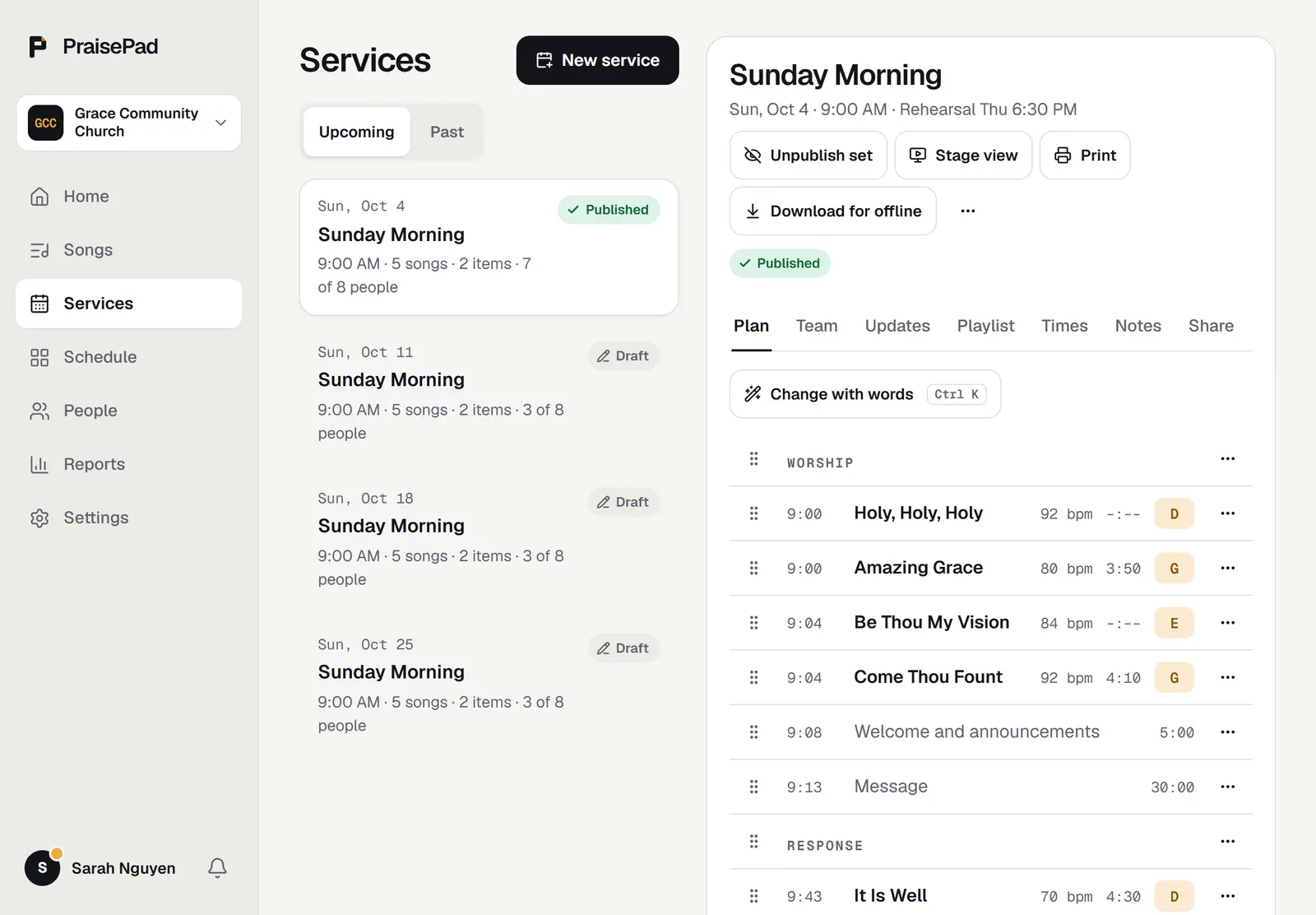
To plan a service, open , press , choose the service type and date, and add songs to its plan. Your team sees the set list once you press .
Open in PraisePad to try itMake the service
- Open and press .
- Choose the and the . The type's usual times and spots come with it.
- Give it a title if you like. Left blank, it takes the type's name.
- Press . The new service opens on its tab.
To start from an old service instead, open it, press the three-dot button at the top, and choose . Pick a date and press . The copy has the same set list, times, spots, and notes, as a draft.
Build the set list
- Songs: search your library in the box, by title, author, or CCLI number, and pick one. It goes at the end, in its arrangement's key.
- Headers: puts a heading like Worship or Response in the list. It takes no time.
- Other items: is for anything that isn't a song, like a welcome or the message. Give it a length so the start times after it are right.
- Order: drag a row by its handle, or use the three-dot menu on a row to , , or .
- Details: press a song's row to change its key, tempo, length, song order, or notes. These are for this service only. The chart itself doesn't change.
Publish it to the team
A new service is a draft, and only leaders can see its set list. When it's ready, press . Everyone on the team can then see the set list, with its keys and times, and open the stage view. To take it back, press .
The tab is the exception: everyone on the team can read a service's notes, even before the set list is published.