Present: slides for the screens
For leadersChecked Oct 9, 20262 minutes to read
Lyric slides made from your set list, run from the browser and shown on the projector.
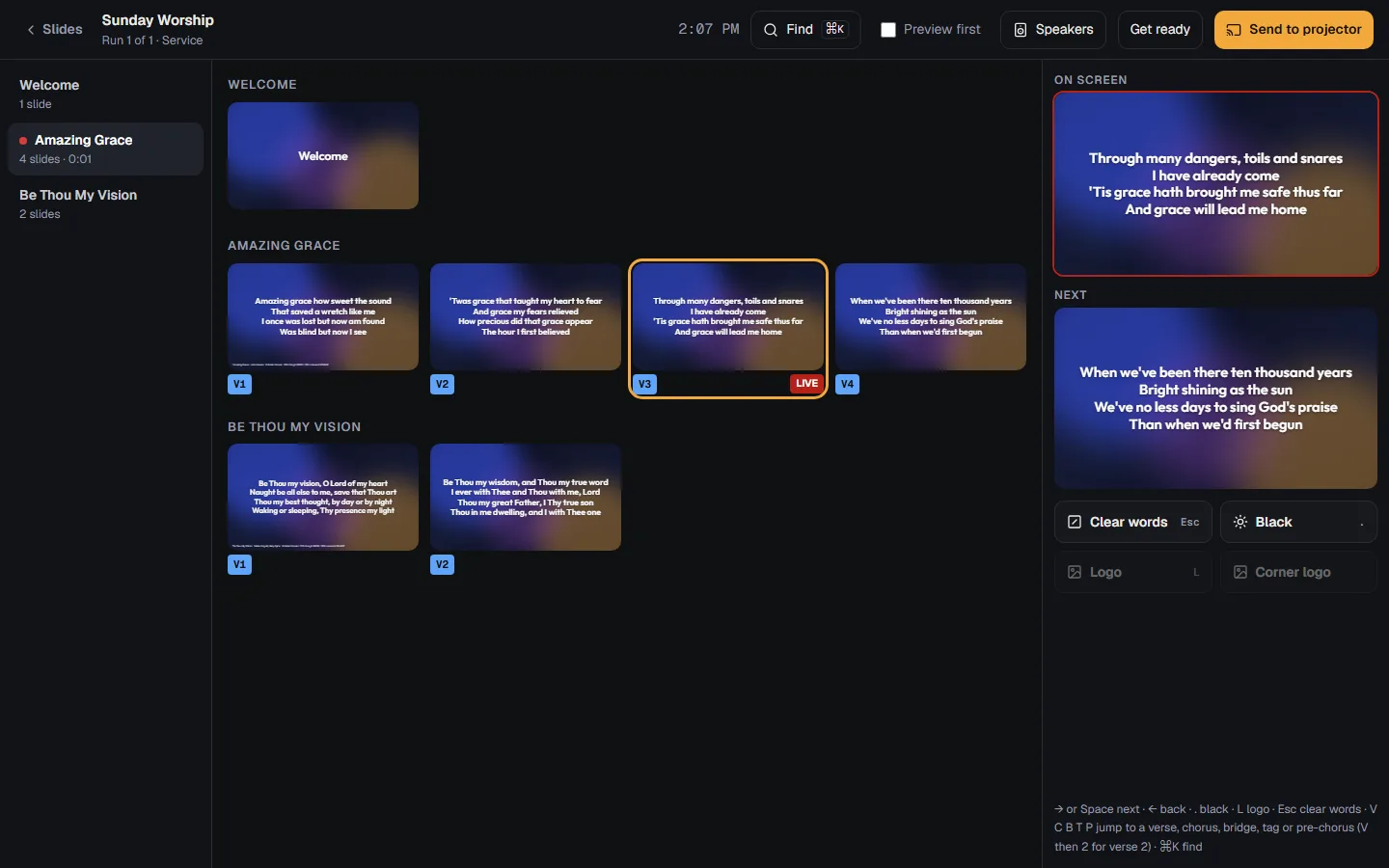
Present turns a service into slides. Open a service and press : every song is already lyric slides, in the order you sing it, with the CCLI line on its first slide. Change the set list and the slides follow.
Get the slides ready
- On the service, press . The first time, PraisePad makes the slides.
- Look them over. Press a slide to change its words, or press to type a whole song's slides, with a blank line between slides. Your changes are kept when the song changes; PraisePad asks before replacing them.
- Press to choose how the slides look, two or four lines a slide, and a background, still or moving.
- Add a welcome, a picture or a video with or .
On Sunday
- On the computer connected to the projector, press , then . keeps every picture, video and page on that computer, so the screen keeps going if the internet drops. Save the backup PDF there too.
- Press . Click the new window once and press F for full screen.
- Click a slide to put it on the screen, or use the arrow keys or a clicker. keeps the background and takes the words off; blacks out the screen. V, C and B jump to a verse, chorus or bridge, and finds any slide by its words.
New volunteers can turn on : a click stages a slide, and Space sends it.
Songs you put on the screen count as projected in the CCLI report.
Open in PraisePad to try itDid this help?One tap. It tells us what to make clearer.