Play together: everyone follows the leader
When a leader starts a session, everyone's stage view moves to the song and part the leader is on.
Play together keeps the band on the same page. A leader starts a session in stage view, and everyone else's screen moves to the song and the part of the song on the leader's screen. Your key, capo, and view stay your own.
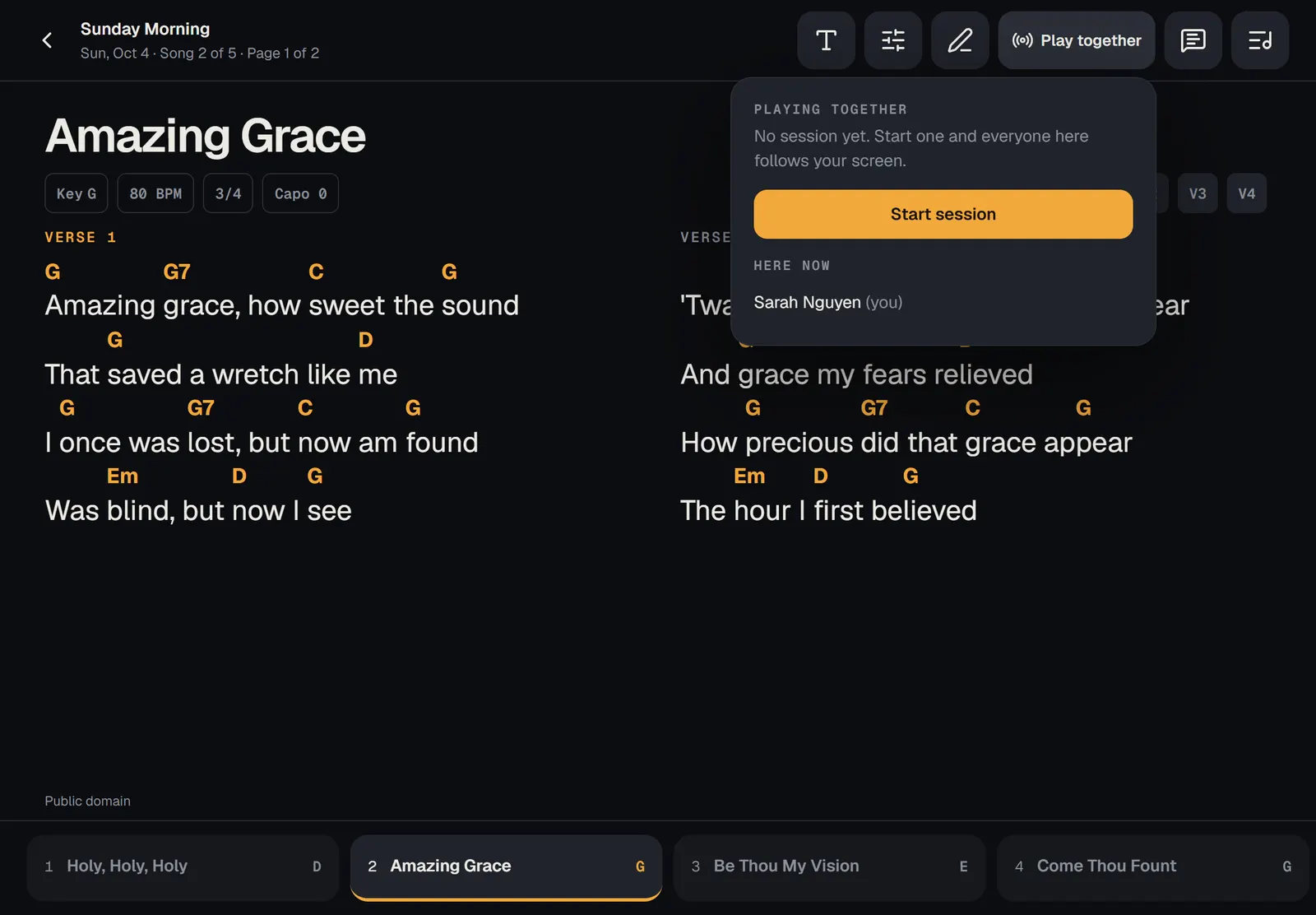
Start a session
Musicians can't start a session. When a leader starts one, your screen follows theirs.
Join and follow
You don't need to do anything to join. Open the service in stage view while you have a connection. When a leader starts a session, a message tells you who you're following, and the button at the top shows their name.
To play on your own for a while, tap that button and turn off the Follow switch with the leader's name. Turn it back on to catch up with them.
The same panel lists who has the service open on stage, under .
Good to know
- Your screen goes to the leader's song and part, laid out for your screen, so your own text size and columns still fit.
- On a PDF chart, you go to the leader's page.
- Sessions need a connection. Without one, your set still works; you just don't follow.
- The session ends when the leader ends it or leaves stage view, and you'll see a message saying so.
- Playing together is for a service. One song opened on its own doesn't have it.
- A guest musician with a guest link can follow along too, but can't lead.