Make a chart from a photo, a PDF, or pasted text
PraisePad reads a photo, a PDF, or text into an editable chart, and you check it before it's saved.
PraisePad can turn a photo of a chart, a PDF, or text you paste into a chart that changes key, shows numbers, and plays on stage. Open , press , and pick a tab. Every import ends on a review, and nothing is saved until you import.
Pasted text (free)
For a chart you can copy as text, chords over the words or ChordPro:
- Choose the tab.
- Paste the chart, with the title on the first line, then a blank line.
- Press .
This doesn't use your AI allowance.
A photo, a PDF, or messy text
- Choose the tab.
- Drop a photo or screenshot on the box, or press . Photos go one at a time. For PDFs, see import PDFs.
- Or type what you see in and press . Messy is fine.
PraisePad's AI reads the page, only when you press the button. It copies what's on the page and never writes words of its own.
A PDF already on a song can become a chart too: press under the file, then . It starts as another arrangement of that song, named From PDF.
Open in PraisePad to try itThe review
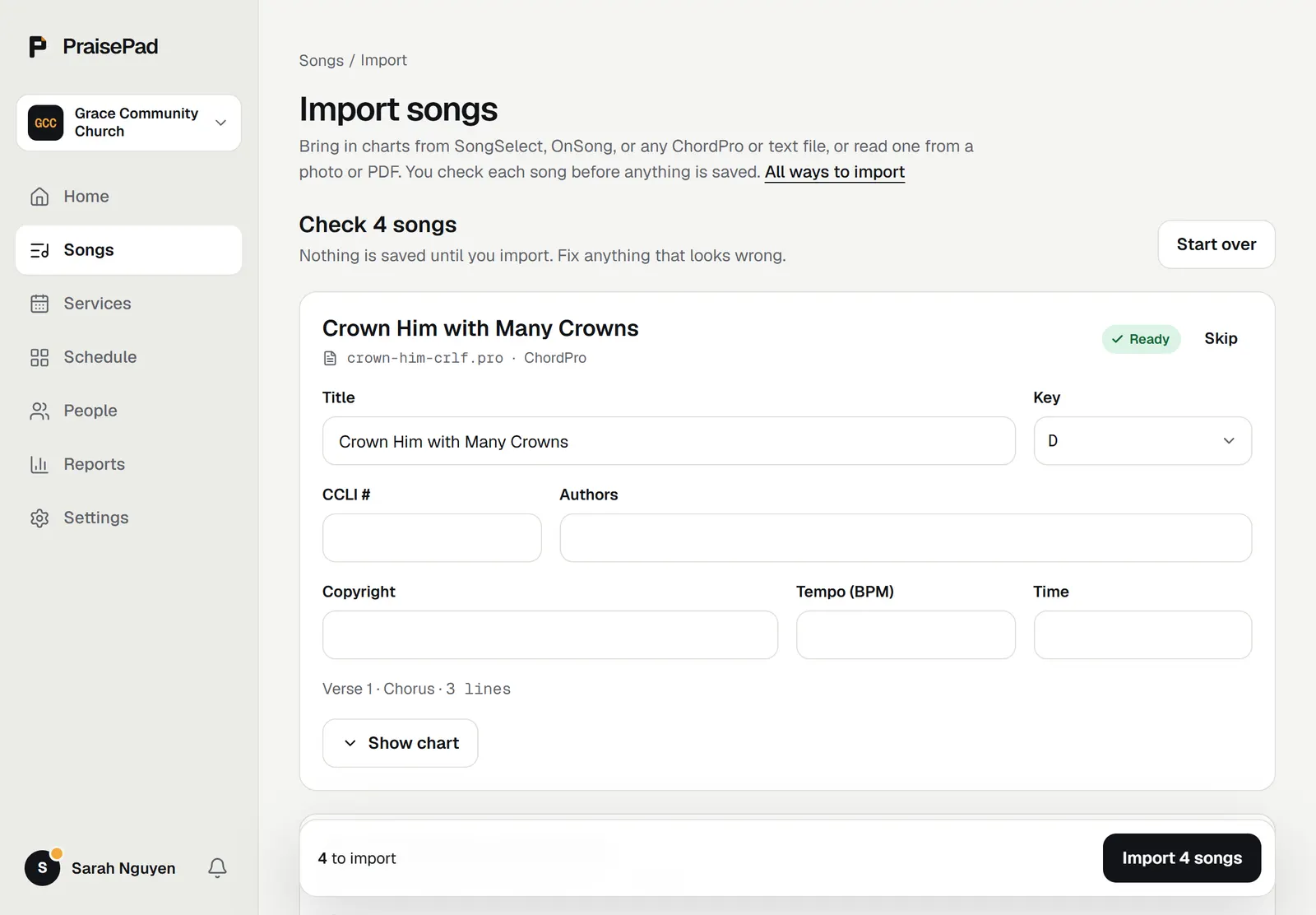
Each song gets a card. Check it against the page:
- The lines the reader wasn't sure of are listed. (or ) shows the original, and shows the chart it made.
- Check the . "Key guessed from the chords" means the page didn't say.
- If the song is already in your library, choose under : , add it as another arrangement of that song, or .
- Fix the title, CCLI number, authors, or copyright if needed.
Then press the import button at the bottom. Open the new song to set its sequence or add a PDF.
The AI allowance
Each photo, PDF, or typed chart that's read counts toward your church's monthly AI allowance. Pasted text and ChordPro files don't. See plans and the AI allowance.