Self check-in at a kiosk iPad
Returning families check their children in with their phone number on a lobby iPad; the desk hands over the labels.
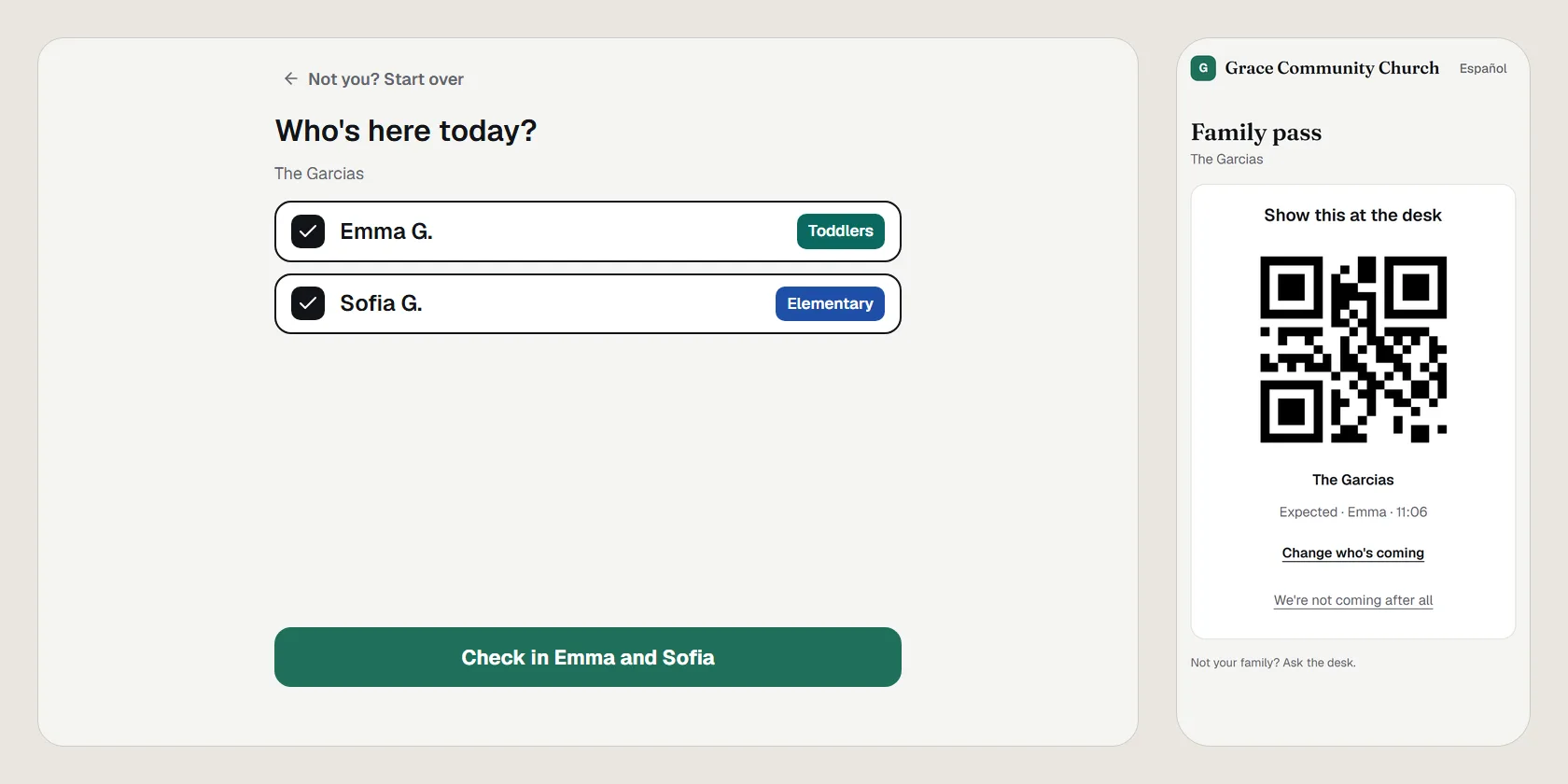
A kiosk is an iPad in the lobby where families who've been before check their own children in. They type their phone number, tap who's here, and their labels print for the desk to hand over. The desk keeps checking in everyone else.
Set one up
- Pair the iPad as a station (see stations) and choose the job .
- Pair a printer laptop too: the kiosk's labels print there (see the label printer).
- Stand the iPad by the doors, opened from its Home Screen icon.
To change where its labels print, press and hold the printer button in the kiosk's top corner for two seconds; a tap does nothing, so a visitor can't change it.
The kiosk needs the internet, and keeps nothing about families on the iPad.
What a family does
- Tap , or .
- Type the phone number the church has for them.
- When two services are open, choose one.
- Their children show with their rooms picked. Tap a child to leave them out, then tap Check in (it names the children).
- The kiosk shows their page number and its picture, never the pickup code, and says where the labels are printing.
A child already checked in says so. When some of the family checked in earlier today, what the kiosk checks in gets a pickup code and page number of its own, so keep both receipts: a kiosk knows only a phone number, so it never prints a code that would also release the children already in their rooms. A family whose room is full is offered the room your Kids leaders set for when it's full, or sent to the desk when both are full. A number nobody has says so; after a few wrong tries the kiosk sends them to the desk.
Volunteers scheduled in a Kids room can type their number too: puts them in their room and prints their volunteer tag.
At the desk
The desk's list shows each kiosk family with their page number and picture until someone taps . If the labels didn't print, prints them at the desk. See the welcome desk.
When it closes
Self check-in closes 45 minutes after a service starts; change it under Settings › Kids › Families. A Kids leader can close it sooner, or open it again, for one service from Kids, live, with or . The desk stays open.
Without wifi the kiosk says it's taking a break and asks families to see the desk. It comes back by itself.
Open in PraisePad to try it