The family pass
A private link for each family: who's coming, a code for the desk, then each child's room, pickup code and pages.
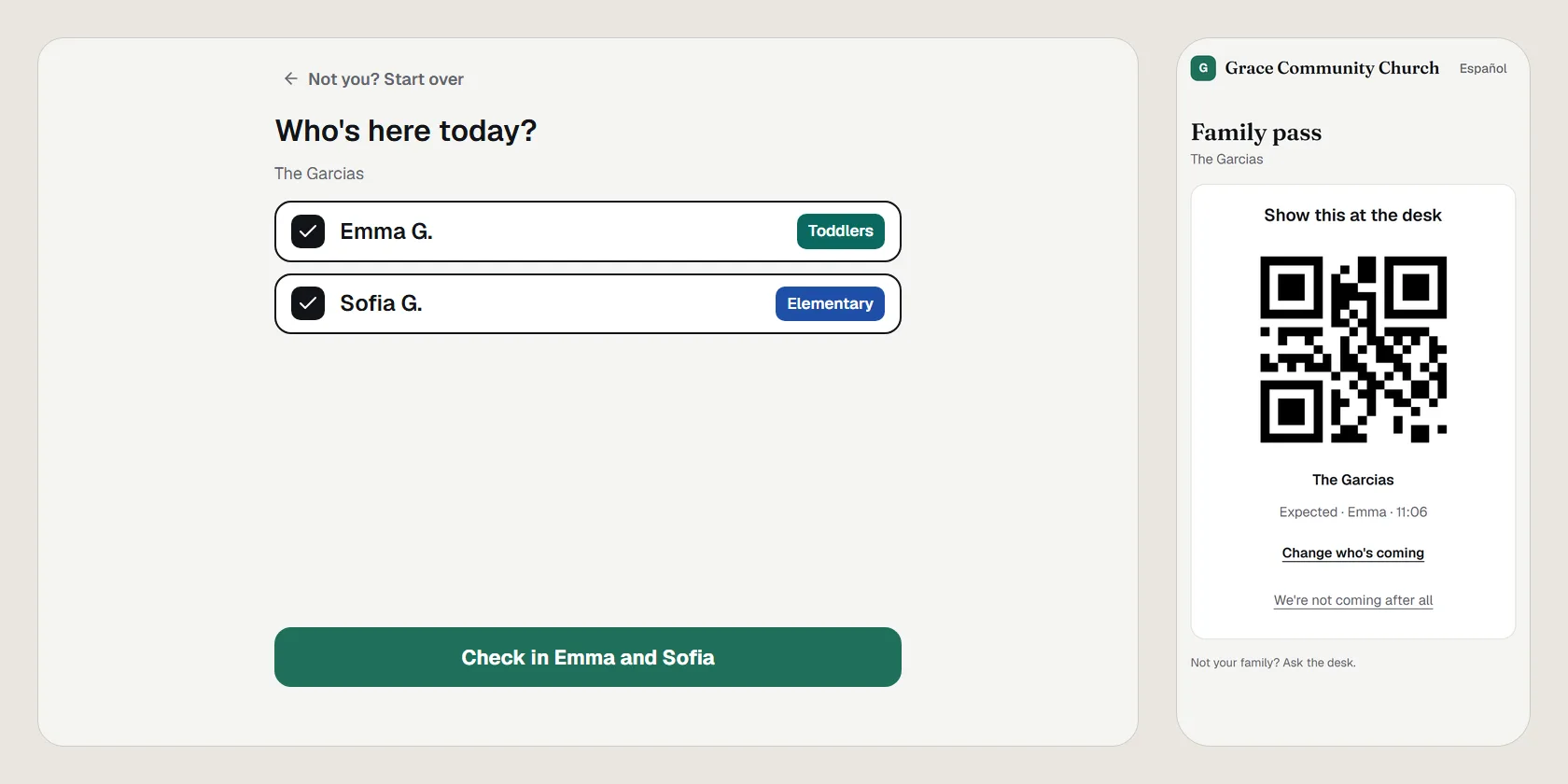
The family pass is a private link for each family, sent by email. On Sunday morning they tap who's coming before they leave home, show the square code at the desk, and then see each child's room, their pickup code and any page from the room on their phone. It's in English or Spanish, by the family's language.
Turn it on
- Open Settings › Kids › Families and turn on .
- Choose . Each family with an email on file gets their link. A family with no email can't get one until a People manager adds it.
New families get theirs in the welcome email when it's on, and the desk can send one any time.
On Sunday
- The parent opens the pass, chooses the service when two are open, taps who's coming, and taps .
- The pass shows a square code with "Show this at the desk", and the desk's list has the family.
- At the desk, , or with the camera, opens the family with those children picked. Check them in and print as usual.
- The pass then shows each child's room, the page number and the pickup code to show at pickup.
The pass follows self check-in's closing time: after it, the pass asks the family to see the desk. A child who lives in two homes shows only this home's check-ins: one the other home checked in says just that, with no code or page number.
When the room asks for them
When a room pages the parent, the pass shows that the room is asking for them, with . The room's iPad then says "On their way" beside the child.
On a phone, a pass added to the Home Screen can turn on notifications (), so a page reaches the parent even with the pass closed.
A lost or forwarded link
Open the family at the desk: the line under their name says when the pass was sent, with . It emails a fresh pass and stops the old link. Turning off stops every family's link.
A household's pass also stops by itself when an adult leaves the household, or when one of its children gets a "do not release to" name. Send the adults who are left a new one.
Open in PraisePad to try it